|
Case studies include information about actual recoveries
completed within our lab. You may find similar symptoms to a problem
you are having with your drive. Here are a couple of recent cases:
• 250GB
Seagate Clicking
• 1TB Raid
0
|


|
|
**No Evaluation Fees / No Attempt Fees** Free evaluation and free external hard drive with every successfull recovery. You pay nothing unless your data is recoverable. Call now for a free quote: 1-800-717-8974. |
Experience A Hard Drive Crash? Learn How To Avoid Making
A Bad Situation Even Worse
If you experience a hard drive crash, it doesn't take much to make a
bad situation even worse. In the event of a hard drive crash, in most
instances, the data is completely recoverable at first. However, as part
of human nature, we often try to avoid the high costs associated with
hard drive data recovery in order to find some sort of "quick fix" to
a very serious problem. In this report we will go over some of the symptoms
of a hard drive crash and the things you can try in the event of a suspected
hard drive crash, along with things you should avoid.
What Noise Is The Drive Making?
The first thing to take into account is whether or not the hard drive
is making any unusual noises. Often times when there is a problem with
the read/write head within
the drive or a firmware issue in the logic board a "clicking" sound will
be heard. If this is the case, then you should immediately power down
the system and refrain from reapplying power. Same thing goes for any
unusual sound, whether it's grinding, squealing, or sounds like a "laser
gun". See samples in the upper left column.
If any of these occur you should immediately power the system down, don't
even attempt to go through the normal shut down procedure, just pull the
plug. Unfortunately in the situations listed above, there is little that
you can do to recover the data yourself. If the failure is mechanical,
unless you have a clean room, fully equipped with the right tools and
a trained technician there is nothing that can be done. Even hard drive
manufacturers avoid this line of work, and many who do offer data recovery
services are only sub-contracting the work out to an established data
recovery firm.
Never Ever Open Your Hard Drive
If the data on a hard drive has even the most minimal value to you, then
it is imperative that you do not open the drive. We often get calls or
e-mails from people who felt they had the right equipment and know-how
to perform something as serious as a head replacement. Once they've removed
the hard drive's protective case, we often times ask them not to send
the drive in, because more often than not, the damage is irreparable.
Working with the internal components of a hard drive requires at least
a Class-100 clean room. A clean room does not mean a room that you just
vacuumed and dusted (believe it or not people say that to us all the time).
A clean room is a special work area in which air quality is heavily controlled
and it is vital to hard drives during the manufacturing or assembly process.
The air in the room is regulated in term of air particles, temperature
and humidity. A Class-100 clean room means there exists no more than 100
particles that are larger than 0.5 microns in one cubic foot of air. Opening
a hard drive in air meeting anything less than the standard listed above
will mean certain death for your hard drive and any data contained therein.
The Freezer Method
There has been a long running wive's tale about putting your hard drive
in the freezer when it crashes in order to revive it just long enough
to pull your data off of it. We've run this test for fun on many occasions
in different scenarios with junk test drives that we have in our lab.
So far we have yet to see this actually produce any positive results.
In fact, in one instance we actually began to see the formation of tiny
microscopic ice crystals on the platter themselves, which is a definite
crash waiting to happen.
See the problem with this theory is, drives are not completely sealed.
Regardless of what you've heard or read, nearly all hard drives have a
tiny breather hole (usually marked with a label that says DO NOT COVER).
This hole not only aids in cooling but it also helps to equalize air pressure
in the drive when the platters are spinning. On the other side of this
hole is a filter, which keeps dirt and debris from getting inside the
drive. However, this filter does not stop heavy amounts of moisture (especially
in flood situations) or moisture vapor (such as found in a freezer). This
moisture vapor has been known to settle on the platters when the drive
warms there is really nothing you can do about it. Then when the drive
is powered up, the read/write head resembles an airplane flying into a
mountain.
In closing, If you've experienced a hard drive crash, it is imperative
that you consider the value of the data, before you consider the money
you might save by doing it yourself. Data recovery is a specialty, and
it requires a number of specialized tools, skills and software to complete
successfully. Many times you run the risk of taking data that may be perfectly
recoverable and destroying it permanently. If you have any questions,
it is best to consult with a recovery firm first. Most reputable data
recovery companies will perform a free diagnostic and evaluation on most
standard IDE hard drives. Many will even include a list of the recoverable
files with that evaluation before you proceed. In some cases, we even
work with our customers on a payment plan to help ease the burden of the
recovery costs. Of course the best way to avoid all of this is to simply
backup anything and everything of value.
|
**No Evaluation Fees / No Attempt Fees** Call now for a free quote: 1-800-717-8974. For over a decade we have been dedicated to recovering data for clients across the globe.
|
|
|
Get setup as a reseller and get 10% off of all our
recovery services. 10% may not seem like a lot, but when you factor
in that we are already one of the lowest priced data recovery providers,
it can mean you have room for a substantial mark up.
|
|
ACS Data Recovery
1005 Marlandwood Rd. Suite 117
Temple, TX 76502
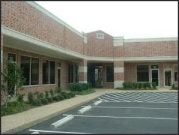
Get Detailed Driving Directions
Toll-Free: 1-800-717-8974
International: +1-254-774-8282
Fax: 1-800-717-8974
Email: info@acsdata.com
|
|