|
Case studies include information about actual recoveries
completed within our lab. You may find similar symptoms to a problem
you are having with your drive. Here are a couple of recent cases:
• 250GB
Seagate Clicking
• 1TB Raid
0
|


|
|
**No Evaluation Fees / No Attempt Fees** Free evaluation and free external hard drive with every successfull recovery. You pay nothing unless your data is recoverable. Call now for a free quote: 1-800-717-8974. |
RAID 0 Data Recovery
Also known as a striped set, RAID 0 splits data evenly across two or
more disks with no parity information for redundancy. We can recover data
from these striped sets. Regardless of the problem, if you have suffered
a drive failure, controller failure, or file system corruption, we can
recover data from your RAID 0 array.
Many customers are utilizing this technology and they don't even realize
it. RAID 0 is commonly used in 500GB+ external drives. Some of the most
common of these that we get in are LaCie Big Disk and Maxtor One Touch
drives. It should be noted that for any RAID 0 recovery to be successful,
ALL drives must be accessible. If one drive has physically
failed, then we must first get that drive funtional again so that
we can image and destripe the set. If we cannot image all of the drives
within the array then data corruption will be prevalent.
It is important to note that RAID 0 was not one of the original RAID
levels, and is not redundant. RAID 0 is normally used to increase performance,
although it can also be used as a way to create a small number of large
virtual disks out of a large number of small physical ones. A RAID 0 can
be created with disks of differing sizes, but the storage space added
to the array by each disk is limited to the size of the smallest disk-for
example, if a 120 GB disk is striped together with a 100 GB disk, the
size of the array will be 200 GB. Although RAID 0 was not specified in
the original RAID paper, an idealized implementation of RAID 0 would split
I/O operations into equal-sized blocks and spread them evenly across two
disks. RAID 0 implementations with more than two disks are also possible,
however the reliability of a given RAID 0 set is equal to the average
reliability of each disk divided by the number of disks in the set. That
is, reliability (as measured by mean time to failure (MTTF) or mean time
between failures (MTBF)) is roughly inversely proportional to the number
of members-so a set of two disks is roughly half as reliable as a single
disk. The reason for this is that the file system is distributed across
all disks. When a drive fails the file system cannot cope with such a
large loss of data and coherency since the data is "striped" across all
drives.
While the block size can technically be as small as a byte it is almost
always a multiple of the hard disk sector size of 512 bytes. This lets
each drive seek independently when randomly reading or writing data on
the disk. If all the accessed sectors are entirely on one disk then the
apparent seek time would be the same as a single disk. If the accessed
sectors are spread evenly among the disks then the apparent seek time
would be reduced by half for two disks, by two-thirds for three disks,
etc., assuming identical disks. For normal data access patterns the apparent
seek time of the array would be between these two extremes. The transfer
speed of the array will be the transfer speed of all the disks added together.
RAID 0 is useful for setups such as large read-only NFS servers where
mounting many disks is time-consuming or impossible and redundancy is
irrelevant. Another use is where the number of disks is limited by the
operating system. In Microsoft Windows, the number of drive letters for
hard disk drives may be limited to 24, so RAID 0 is a popular way to use
more disks. It is also a popular choice for gaming systems where performance
is desired, data integrity is not very important, but cost is a consideration
to most users. However, since data is shared between drives without redundancy,
hard drives cannot be swapped out as all disks are dependent upon each
other.
|
**No Evaluation Fees / No Attempt Fees** Call now for a free quote: 1-800-717-8974. For over a decade we have been dedicated to recovering data for clients across the globe.
|
|
|
Get setup as a reseller and get 10% off of all our
recovery services. 10% may not seem like a lot, but when you factor
in that we are already one of the lowest priced data recovery providers,
it can mean you have room for a substantial mark up.
|
|
ACS Data Recovery
1005 Marlandwood Rd. Suite 117
Temple, TX 76502
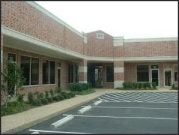
Get Detailed Driving Directions
Toll-Free: 1-800-717-8974
International: +1-254-774-8282
Fax: 1-800-717-8974
Email: info@acsdata.com
|
|